



Finding a music player that packs everything and the kitchen sink is one thing. Finding a music player that gives you everything and the kitchen sink for free with no other hidden agenda or catches is an entirely different thing. This is where Levyra shines.
What exactly is Levyra?
Levyra is an open-source music app for YouTube and YouTube Music, built by a developer LUC4N3X. The app is available for both Android and Windows, available for download via Levyra’s official website, and its Github repository.
At its core, Levyra is basically a free version of YouTube Music, without the monthly subscription tag. It’s aimed at people who are looking for a clean, ad-free, no-account music app and care about where their listening data goes. You can stream music and videos, listen to podcasts as well as access to worldwide online radio, as well as create your own jams with friends. Think of it like a hybrid between YouTube and Spotify Music. Just that there’s absolutely no ads or tracking, no paywalls, no analytics, nothing. Just you, and your music. That’s it.
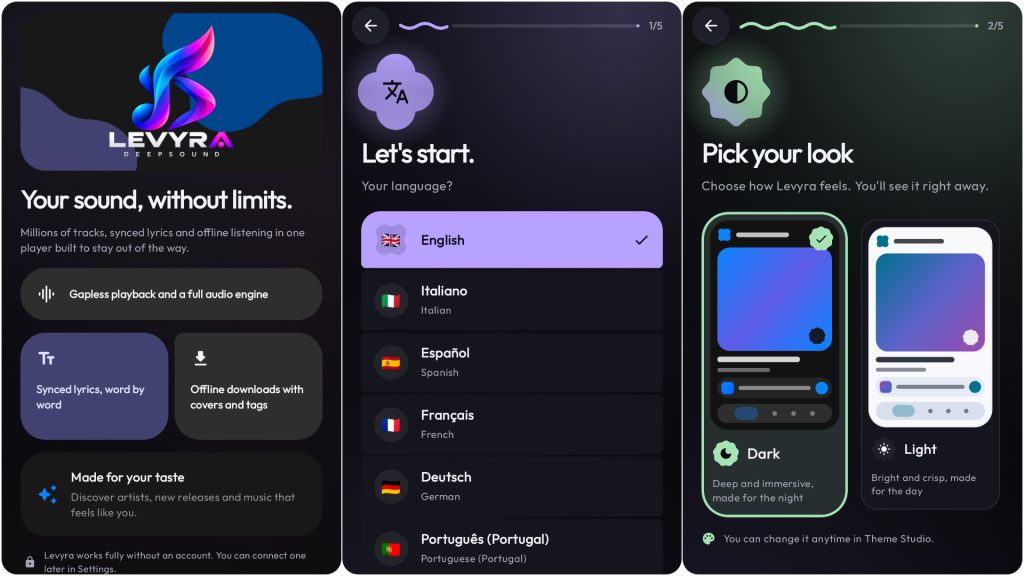
Levyra is available for both Android and Windows. Image credit: Mahesh de Andrado
One thing to note is that because it’s using streams from Youtube and Youtube Music, it lacks lossless tiers so if you’re already subscribed to a high-fidelity audio streaming service, this will by no means match the quality of that.
That being said, Levyra also isn’t lacking in the additional features department either. In addition to the features mentioned above, it also has support for Google Cast, LAN Jam sessions, AutoEQ import, integration with Android Auto, your Android device’s lockscreen, a widget as well as Picture-in-Picture mode.
What it’s like to use Levyra
Given the number of features that the developer, the website and the github repository boast about Levyra, I was expecting to be bombarded with features, but surprisingly, the initial setup and home screen of the app are relatively clean, and clutter-free, giving you time to focus on what matters; the music. That being said, Levyra has a lot going for it
Speaking of the music, as I mentioned earlier, Levyra utilises YouTube Music as its music provider but that’s not all it does. A small toggle at the top of the now playing screen lets you switch between the audio of the song you’re listening to and its music video seamlessly. Sponsorblock plays its part here to make sure that there are no ads that pop up during the video playback, which is honestly a welcome feature. If you choose audio, you can choose if you want to cast the song to a nearby device. If you choose video, you can set the playback quality as well as enable PnP (picture-in-picture) mode and enable captions/subtitles.
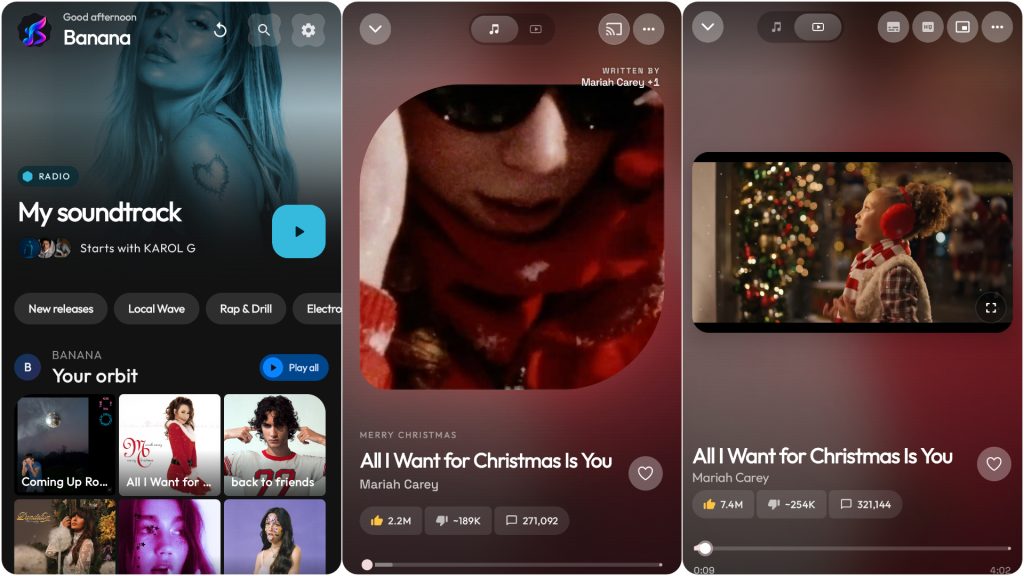
The initial setup and home screen of the app are relatively clean, and clutter-free, giving you time to focus on what matters; the music. Image credit: Mahesh de Andrado
Once you start using the app and playing songs, you realise just how polished and well-thought out the app really is. For example, when you download music for offline playback, the tracks are saved directly to your Android device as regular unencrypted .m4a files with complete embedded ID3 tags and high-resolution album artwork. This means the files can be copied, shared, and played in any audio software without restrictions.
Want to sing along with your favourite song? Levyra’s LRCLIB Synchronised Lyrics Engine gives you lyrics right down to the millisecond with time coded lyrics, giving you the perfect karaoke experience. Making sure your music looks good, Levyra also extracts the dominant frequency palettes and chroma values from the current album artwork in real time. It then uses these values to dynamically adjust the colour spectrum of the interface, all at a smooth 120fps transition, giving it an honestly surreal smoothness. But that’s not all. The “Explore” tab lets you discover new music and videos, listen to online radio, and create jams.
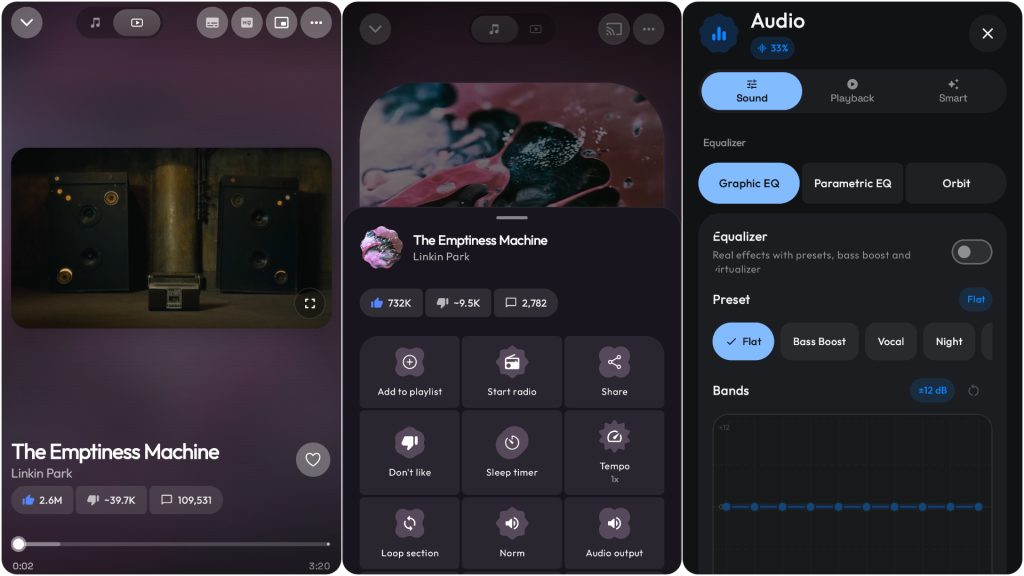
Tracks are saved directly to your Android device as regular unencrypted .m4a files with complete embedded ID3 tags and high-resolution album artwork. Image credit Mahesh de Andrado
Levyra goes deeper. You can set a mood journey where you can specify how your music should feel over time. For example, if you want to feel energised at sunrise, and wind down during the evening, you can set it up as such. If you are the type of person to discover new music, you can configure Levyra to create a ratio of recommended songs vs discovering new songs.
The library is where all your favourite songs live, ready to be played back at a moment’s notice. You can create playlists, view offline tracks, and also manage your own on device songs if you’re the type of person who believes in local storage. You can also see stats such as your listening history, see your peak listening times, and what genres of music you give preference to.
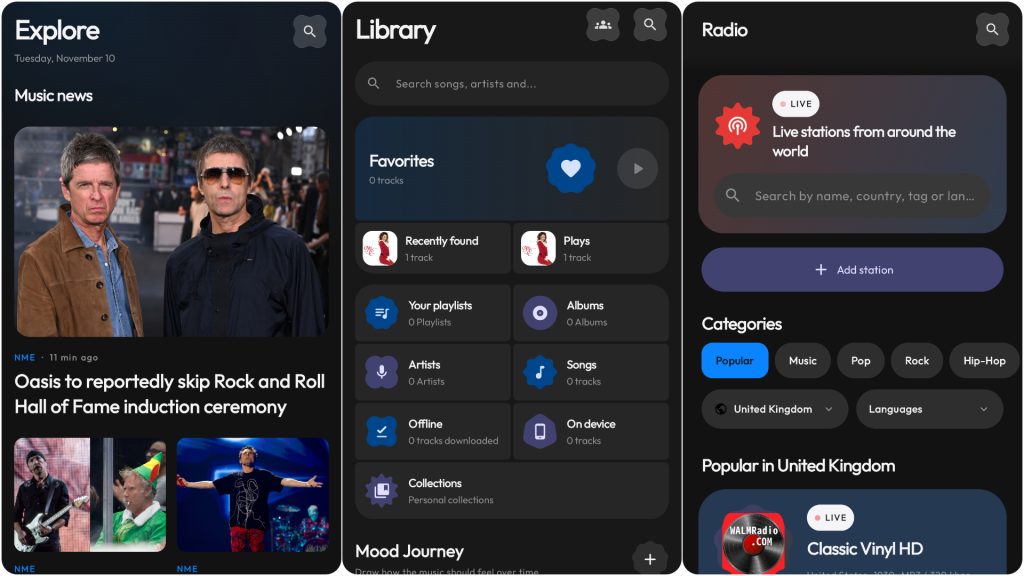
The library is where all your favourite songs live, ready to be played back at a moment’s notice. Image credit: Mahesh de Andrado
My thoughts on Levyra
I was waiting for the catch with Levyra, a completely free app, and I still haven’t found one. It has every feature I’d think to ask for, wrapped in a clean, smooth interface.
The big question is whether it’s legal, and that’s a bit of a grey area. Levyra itself is an open-source player under GPL-3.0, and the developers say it doesn’t host or distribute any copyrighted content. It’s just a client for services you’re already authorised to use. What you do with it is on you, so downloading or streaming content without permission is still copyright infringement in many places.
Under the hood, it uses YouTube Music’s InnerTube API to resolve stream URLs, then plays them through its own audio engine (ExoPlayer on Android, libVLC on Windows). A shared Kotlin engine called LevyraExtractor handles stream resolution, cipher deobfuscation and fallbacks, and it may load YouTube’s playback-security script in a hidden WebView to grab the tokens it needs. So, the closest thing to a catch is that if YouTube changes the InnerTube API and Levyra can’t keep up, the app stops working.
Give it a go on GitHub and let me know what you think.